See the client.
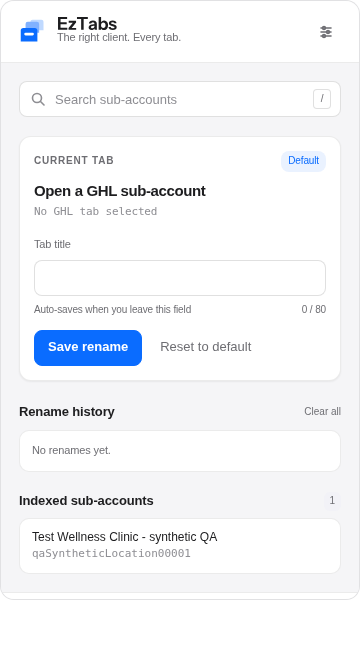
Tab titles use the sub-account name and page section. No more opening every tab to figure out where you are.

 How it works ↗
Twenty tabs. Five clients. Zero guessing.
Make HighLevel feel a little less hectic.
Developer install today. Chrome Web Store coming later.
 Less tab chaos.
Your basic sub-account index is free. Nothing to pay to put the right names on your tabs.
Tab titles use the sub-account name and page section. No more opening every tab to figure out where you are.
Save a short name for a client. Sync your sub-account index and rename overrides with your EzTabs account.
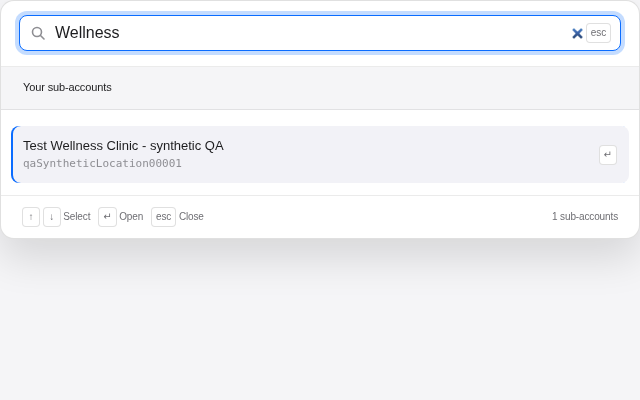
Search saved sub-accounts with Ctrl + Shift + K. Group related client tabs and keep your workspace together.
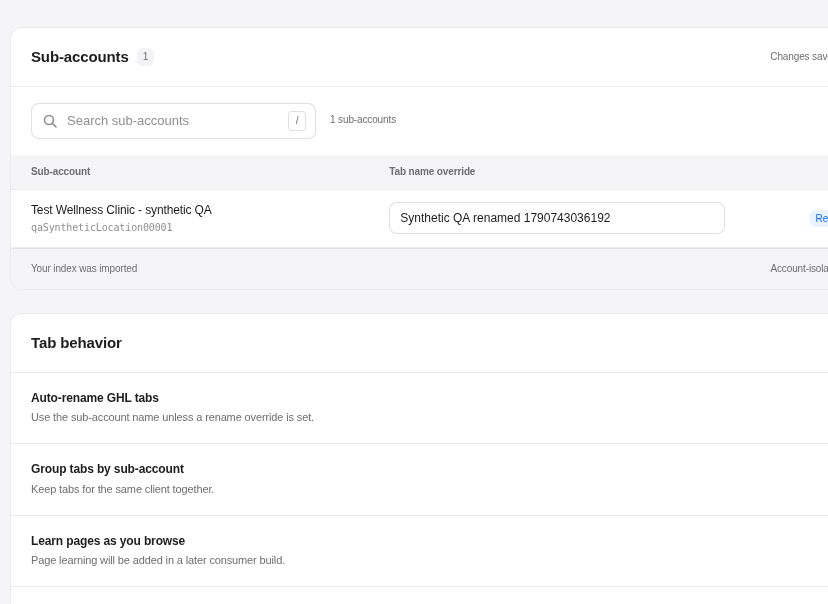
Manage names, search your index and export a backup. Simple controls. No changes to your HighLevel contacts or workflows.
EzTabs 0.1.1 is ready for developer review, not public account signup. Email setup and automatic confirmation links are still being finished.
See developer install steps ↓chrome://extensions and turn on Developer mode.manifest.json.This is not a Chrome Web Store install. Keep your existing private extension separate. No payment required.
No. EzTabs changes tab titles and grouping, and saves names you choose. It does not edit contacts, campaigns or workflows.
Tab renaming, saved name overrides, basic sub-account search, tab grouping, synced index/overrides and JSON backup. Device preferences stay on your device.
Not in this build. Connected-tool search and AI analysis are not available yet.
app.gohighlevel.com and app.highlevel.com. EzTabs is independent and not affiliated with HighLevel.